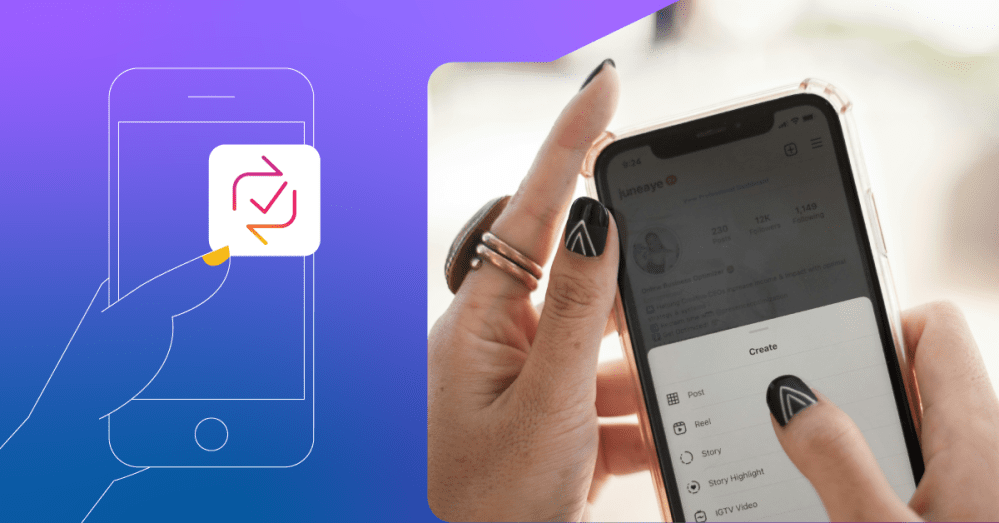
Back in August 2025, Meta announced the introduction of a few new features to its Instagram platform. The most notable new feature being reposts!
If you spend any amount of time on Instagram for either personal or business use, you probably noticed the new repost option next to your familiar Like and Share options… maybe you even accidentally tapped it a time or two.
If you haven’t explored the new feature yet, or you did tap the repost option and wondered what the heck it even did, we’re here with a helpful breakdown.
Keep reading to learn what the repost feature is, how it can be helpful for your local business’s Instagram account, and how to use it.
[Related: Social Media Management Tips for Small Businesses]
What is the Repost feature?
Per Meta’s news announcements, reposts is “a way for you to share your favorite public reels and posts, and see the content your friends are enjoying.” This feature lets you easily repost public reels and feed posts as a way to share the content you’re loving with your followers.
Your reposts will be recommended to your followers’ feeds and will go into a separate tab on your profile. This allows anyone visiting your feed (and yourself) to browse anything you’ve shared.
Reposts are always credited to the original poster. So, if you’re the creator and your content is reposted by someone else, it may be recommended to people who don’t follow you.
[Related: How to Repost a Story on Instagram]
Why is reposting useful for local businesses?
Now that you know a little more about what the feature is, let’s talk about why it might be beneficial for a local business account like yours:
- Expanded reach (without ads) – Probably the biggest and most exciting impact of this new feature for local businesses is the potential for a massively expanded reach… without spending money on ads. When your followers and customers repost content you’ve created, it has the potential to be shown to their entire audience as well. If you post something compelling and inspiring enough that people want to share, you have the potential to reach an entire network of potential customers that you didn’t have access to before.
- Elevates your brand’s social proof – Reposting makes it easier than ever for you to share UGC (user-generated content) to your feed. Studies show that 84% of people trust brands more when they use UGC, so this enhanced capability offers an almost effortless way to earn the trust of potential customers and increase social proof of your brand.
- Deeper connections and more engagement – Not only does sharing content created by your customers, biggest fans, and even employees help earn trust with those who don’t know about you yet, but it also deepens the connection with the people who already love and champion your brand. When you engage with your users through the repost feature, you’re fostering a sense of community, which is exactly what social media should be used for. That, in turn, encourages your fans to keep posting about you, keep engaging with you, and keep telling their friends about your business.
[Related: How to Collaborate on Instagram]
How to repost a reel or post
Okay, now to the fun part… the breakdown on how to repost content that you want to share.
Step 1: Open your Instagram app and navigate to your business profile.
Step 2: Find a public reel or post you’d like to share and tap Repost. The button will be located between the Comment and Send options and looks like two arrows forming a square.
Step 3: If you want to add text to your repost, tap the bubble by your profile picture on the bottom left of the reel or post.
Step 4: Type the text you’d like to include with your repost.
Step 5: Tap Save.
And that’s it! You’ve successfully reposted content.
You can always remove a repost you’ve shared by tapping Repost on the reel or post you reposted.
All reels or posts you’ve reposted will be available in the Reposts section of your profile.
Find your reposts
You can easily navigate to your reposts using these steps:
Step 1: Open the Instagram app.
Step 2: Navigate to your business account.
Step 3: Tap the profile picture symbol in the bottom right corner.
Step 4: Tap the dedicated repost tab on your profile (indicated by the arrow repost symbol).
Step 5: Tap on a reel or post to view it.
Additional Step: If you’d like to remove your repost on a reel or post, select the desired one you’d like to delete and tap “Delete.”
You can choose whether or not to allow reposts of your content
To make this selection, follow the instructions:
Step 1: Open the Instagram app.
Step 2: Navigate to your business account.
Step 3: Tap the profile picture symbol in the bottom right corner.
Step 4: Tap on the hamburger menu in the top right corner.
Step 5: Tap “Sharing and reuse” in the menu.
Step 6: Use the toggle next to “Reposts” on posts and reels to choose whether or not you’ll allow reposts of your content.
Additional information on reposts
Here are a few more things you should know about the Instagram repost feature:
- The feature may not be available to everyone
- You can only repost content from a public account if the user allows reposts
- Other Instagram users can comment on your repost, and these comments will appear as direct messages to you
- You cannot repost a repost
- You can add a note to your repost by typing into the thought bubble that appears on screen and tapping “Save.”
[Related: How to Add a Location on Instagram (and Why You Should)]
Take your social media to the next level with social marketing powered by Hibu One
Instagram’s repost feature is just one example of how quickly social media is changing… and keeping up can feel overwhelming when you’re running a business.
With social marketing powered by Hibu One, you don’t have to do it alone. Our digital marketing experts help you take your social channels to the next level by handling all the setup, optimization, and continued maintenance that comes with running Meta ads. That way, you can continue creating the great content people want to repost and running other parts of your business.
And not only does Hibu One include a social marketing solution, but it also brings together your website, listings, review and reputation management, SEO, and even more into one easy-to-manage platform.
From creating engaging ads to building trust, increasing visibility, and turning followers into customers, Hibu One helps you make the most of every opportunity social media has to offer—so you can focus on what you do best: running your business.
Want to learn more about Hibu One? Request a demo today!