Think about all the ways a customer can get in touch with you as a local business owner: They can call, send a text, send an email, or even fill out a contact form on your site. And you want to be accessible in this way so that any prospective customer can get in touch with you in a way that suits them. But all those touchpoints leave a lot for you to manage.
Key Takeaways
- Hibu One Inbox centralizes customer communications by bringing calls, texts, form fills, reviews, and Facebook messages into one Inbox.
- Prioritizes the best leads with Lead Scoring that identifies Quality, Potential, and Suspected Spam opportunities.
- Keeps follow-ups organized with flags, labels, scoring, and filters that highlight what needs attention.
- Makes responding easier by letting businesses send texts and reply to Facebook messages directly from Inbox.
- Provides customer context by keeping past calls, texts, reviews, forms, and other interactions in one place.
- Keeps businesses informed with customizable notifications and QuickBooks Online integration.
- Saves time as businesses grow by reducing platform-hopping, preventing missed leads, and keeping customer activity manageable.
Since Hibu has been working with local businesses for over 40 years, we’ve thought this through.
Our all-in-one digital marketing platform—Hibu One—comes together on a single, easy-to-use dashboard. And within that dashboard, you get the Hibu One Inbox.
Let’s take a closer look at Inbox and all the features we’ve built into it that help you save time and run your business more effectively.
[Related: Hibu One Feature Deep Dive]
What is the Hibu One Inbox?
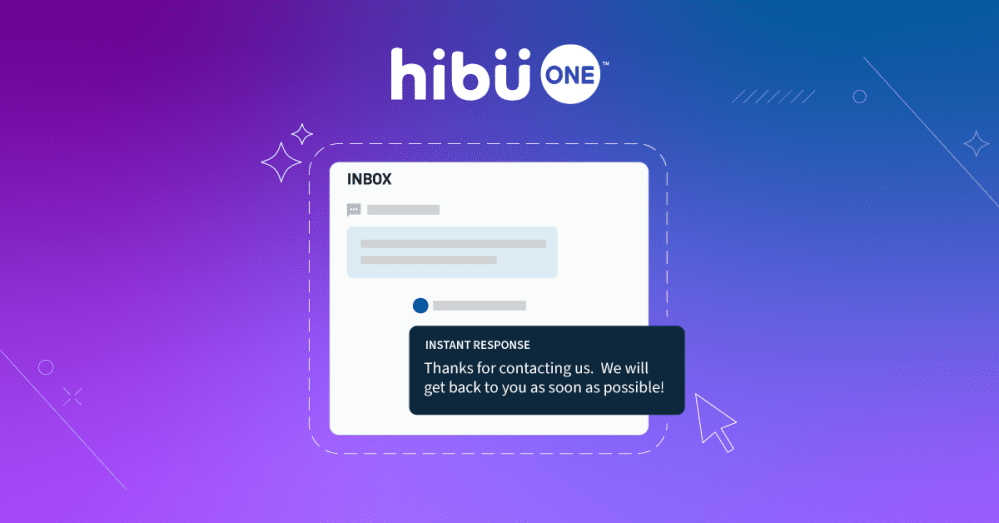
The Hibu One Inbox is part of the Hibu One Performance Dashboard. It collects all of your incoming calls, text messages, form fills, reviews, and direct messages from social media in one place.
It truly is a centralized communication tool that consolidates all your leads from any customer touchpoint you might have.
That means no more keeping track of calls and voicemails in one place, social media DMs in another, and form fills in yet another. Everything is organized and available at a glance.
[Related: 5 Ways Hibu One Saves Your Local Business Time]
Hibu Inbox features
Inbox is loaded with helpful features that make managing your leads and keeping in contact with your customers quick and easy.
Let’s take a look at each one individually:
Hibu Leads
Any leads that are generated through Hibu One will appear within Inbox. This includes:
- Calls/voicemails
- Text messages
- Form fills
- Feedback
- Reviews
- Facebook messages
Lead Management
Our Lead Management tools give you the ability to make changes to those scores if you feel they should be labeled differently. You can choose from the same designations of “Quality,” “Potential,” and “Suspected Spam,” or just simply leave the lead as “Unscored.”
You can also manage your leads in two other ways:
- Activating a flag on an Inbox conversation as an indication to follow back up with that contact
- Labeling an interaction in Inbox using numbers 1-5
When you take a few minutes each day to review your leads and use these tools, you’ll have an organized Inbox that lets you quickly determine where your attention is needed most.
Lead Scoring
Once a lead comes into Inbox, we use our proprietary technology to score it. This means providing detailed insight into each lead to classify them with an easy-to-understand color identification:
- Quality = Green
- Potential = Yellow
- Suspected Spam =Red
This allows you to quickly identify which communications have the most potential to turn into real customers. Then, you can focus on those leads instead of wasting time sorting through dead ends.
Assistant contacts
Because Hibu One works as a fully integrated system, any contacts obtained from upload, integration, or interaction with your Hibu Assistant tools and campaigns—like review requests—will also appear in Inbox.
If a current customer or prospect reaches out, their information will be available to you immediately.
Contact summaries
Each and every contact located in Inbox will have a summary that includes:
- Name
- Phone number (if available)
- Notes
This allows you to keep your cell phone contacts cleaner when all the details you might keep there are readily available to you in Inbox instead.
SMS messaging
Speaking of keeping your phone free from additional clutter, you also have the ability to send SMS messages out of Inbox. This capability is available for all Hibu Leads, Assistant Contacts, and Facebook Messenger Leads.
This is a huge benefit considering that 58% of consumers are open to hearing from brands several times per week via SMS.
Facebook Messenger leads
Once you have your business’s Facebook Page connected in the Hibu One Performance Dashboard, you’ll also receive any messages you receive through Facebook Messenger Chat in Inbox.
That means you won’t need to log into multiple platforms to stay in contact with your customers. You can read the messages and reply right from the Hibu One Performance Dashboard.
Conversation History
Want to quickly review past communications you’ve had with a customer? The Conversation History function lets you do just that quickly and easily.
It provides:
- Feedback
- Reviews
- SMS conversation transcripts
- Instant Response
- Chat history
- Integration events (like payments, invoices, and appointments)
- Hibu Lead call details (like disposition, recording, and transcripts)
- Hibu Lead form fill data
You’ll have everything at your fingertips in one place to put your customers at ease, knowing you’re on top of what they need.
Feedback and review shortcuts
Within the Conversation History, you’ll have dedicated buttons to ask a contact for feedback or a review.
That’s right—with the single click of a button, you can generate more reviews for your business. This takes the stress out of asking for one in the field or at checkout.
Filtering
Looking for something specific in your Inbox? Not a problem. All your contacts can be filtered by message type, like:
- All
- Answered calls
- Missed/busy calls
- Voicemails
- Texts
- Facebook messages
- Reviews
- Form fills
Or in these additional ways:
- With or without a flag
- Labels 1-5 (or without a label at all)
- Hide or show leads scored as Suspected Spam
No matter how you want to find the contact or information you’re looking for, we’ve built in plenty of filtering capabilities to easily find it.
Notifications
We know that as a local business owner, you’re busy. Which means you don’t always have time to check your Inbox multiple times a day for incoming leads.
But we still want to make sure you’re seeing everything you need and want to see. So, we’ve made it possible to receive new activity notifications from Inbox via email, text, and/or browser.
You can configure how and when you’d like to receive them within the Hibu One Performance Dashboard.
QuickBooks Online® contact integration
Since we believe an integrated system works better together, we’ve introduced the ability to integrate your QuickBooks Online® account into your Hibu One Platform.
Once you have that set up through the Hibu Assistant solution, all your QuickBooks contact interactions—including payment, invoice, and service completion events—will be available within the contact summary and conversation history.
Benefits of a comprehensive inbox
If having all your customer communications in one place sounds convenient, it’s because it is. But the real value of the Hibu One Inbox goes beyond simply having fewer places to check.
It gives you a better way to stay on top of your leads, communicate with customers (current and potential), and keep your business flowing smoothly without adding more work to your already-busy days.
Here are some of the biggest benefits:
Save time managing customer communications
When you’re running a local business, your plate is already pretty full. The last thing you need is to spend part of your day bouncing between your phone, your email, your website, Facebook, and other platforms just to figure out who’s contacted you.
Inbox brings it all together for you.
Instead of checking all those places plus trying to remember where a conversation happened, you can just open one dashboard to see your leads and customer interactions in one centralized location.
Keep valuable leads from slipping through the cracks
When customer communication is scattered across multiple channels, it can be easy to overlook a voicemail, forget about a form fill, or lose track of a Facebook message.
And when that person is actively looking for the product or service you offer, a missed message could mean a missed opportunity. Research shows that 72% of customers want immediate service.
With your Hibu Leads collected in Inbox, you get a clearer picture of who’s contacting your business. Lead Scoring, flags, labels, filtering, and notifications make it even easier to identify the contacts that need your attention and follow up accordingly.
This way, you don’t have to rely on your memory (or a collection of sticky notes!) to keep track of who you need to get back to.
Focus your attention on the right leads
Not every person who contacts your business is going to become a customer. And you probably don’t have time to give every incoming message the same amount of attention.
Which is why we included the Lead Scoring feature.
By identifying leads as “Quality,”, “Potential”, or “Suspected Spam”, Inbox helps you quickly see which contacts could be worth prioritizing. Instead of spending valuable time sorting through every incoming communication yourself, you can focus your attention where it has the most potential to make an impact. Then, your follow-up process becomes a whole lot more manageable.
Respond to customers more efficiently
Customers want to be able to easily reach your local business. But they don’t necessarily care which platform is easiest for you to manage.
One customer might call. Another might send a text. Someone else might reach out through Facebook.
Inbox helps you meet customers where they are without forcing you to manage every communication channel separately. You can review customer information, see past interactions, send SMS messages, and respond to Facebook messages right from the Hibu One Performance Dashboard.
That helps you provide the convenient communication experience your customers expect while keeping things simple on your end.
Have more informed customer conversations
There’s nothing worse than talking to a customer and realizing you can’t remember what you discussed the last time they reached out. In fact, 70% of customers expect anyone they interact with to have full context to their needs.
The Conversation History feature helps solve this for you. You can quickly review previous texts, chats, feedback, reviews, form fills, call details, and other interactions before responding. And with integrations like QuickBooks Online®, you can even have additional information about payments, invoices, and service completion events available alongside that contact’s history.
Stay organized as your business grows
More marketing can mean more leads… and then more leads can mean more calls, messages, form fills, reviews, and conversations to keep track of.
And that’s a good problem to have. But it’s still a problem if you don’t have an easy way to manage it.
Inbox gives you a system for organizing those interactions as they come in. Use those filters, flags, labels, lead scores, and contact histories to keep track of what needs your attention without creating a complicated process of your own.
So, as your marketing generates more opportunities, you have a better way to manage them.
Everything is connected
Inbox isn’t a standalone tool. It’s part of Hibu One.
Your website, leads, customer communications, reviews, Hibu Assistant tools, and performance insights can all work together as part of one integrated digital marketing platform. Instead of piecing together separate tools and trying to make them work together yourself, you have one connected system designed with your local businesses in mind.
Getting the lead is only one part of the job. You also need an easy way to identify that opportunity, respond to it, keep track of the conversation, and ultimately turn that prospect into a customer.
[Related: More Leads Than Ever Before]
Keep all your customer communications in one place with Hibu One
Running a business keeps you busy enough—you don’t want your customer communications to turn into just one more thing you have to keep track of.
With the Hibu One Inbox, your leads and customer interactions are organized in one convenient place within the Hibu One Performance Dashboard. You can quickly see who’s contacting you, prioritize promising opportunities, review previous conversations, and follow up—all without jumping between multiple platforms.
And because Inbox is just one part of Hibu One, you get more than a better way to manage leads. You get an all-in-one digital marketing platform that brings together the tools, strategies, insights, and support you need to attract customers and grow your business.
Ready to see how it all works together? Request a free, no-obligation Hibu One demo or take a self-guided tour of the platform today.